Minx Air1.24
Continue to app
Free Version
Publisher Description
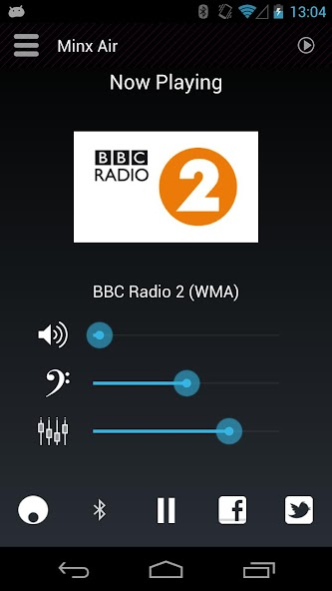
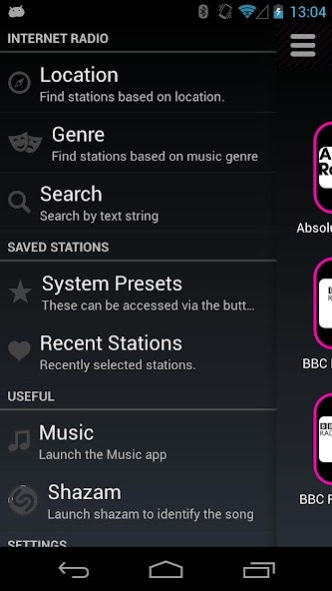


The Minx Air Android app enables you to setup and control your Cambridge Audio Minx Air Wireless Music System.
Find your favourite Internet radio stations from our library of over 20,000 streams then save them as presets for easy access from the app or direct from the the Minx Wireless Music system itself.
The app also allows control of the system Volume, Bass and choose from 10 audio enhancing DSP presets.
About Minx Air
Minx Air is a free app for Android published in the Audio File Players list of apps, part of Audio & Multimedia.
The company that develops Minx Air is Cambridge Audio. The latest version released by its developer is 1.24.
To install Minx Air on your Android device, just click the green Continue To App button above to start the installation process. The app is listed on our website since 2013-07-05 and was downloaded 74 times. We have already checked if the download link is safe, however for your own protection we recommend that you scan the downloaded app with your antivirus. Your antivirus may detect the Minx Air as malware as malware if the download link to com.audiopartnership.minxcontrol is broken.
How to install Minx Air on your Android device:
- Click on the Continue To App button on our website. This will redirect you to Google Play.
- Once the Minx Air is shown in the Google Play listing of your Android device, you can start its download and installation. Tap on the Install button located below the search bar and to the right of the app icon.
- A pop-up window with the permissions required by Minx Air will be shown. Click on Accept to continue the process.
- Minx Air will be downloaded onto your device, displaying a progress. Once the download completes, the installation will start and you'll get a notification after the installation is finished.
Program Details
System requirements
Operating systems
Android
Download information
File size
N/A
Total downloads
74
Pricing
License model
Free
Price
Version History
Here you can find the changelog of Minx Air since it was posted on our website on 2016-12-30. The latest version is 1.24 and it was updated on Soft112 on 03 November, 2026. See below the changes in each version:
version 1.24
posted on 2013-07-05
Added backwards compatibility for Android 2.3
Add German Language translations and tutorial video
Added ability to add a device manually by IP address
version 1.24
posted on 2013-07-05
Added backwards compatibility for Android 2.3,Add German Language translations and tutorial video,Added ability to add a device manually by IP address
